
In this topic: Browse all Getting Started articles
Product UpdatesSuno Studio 2.0: MIDI, Chat Bar, and Uncapped Export

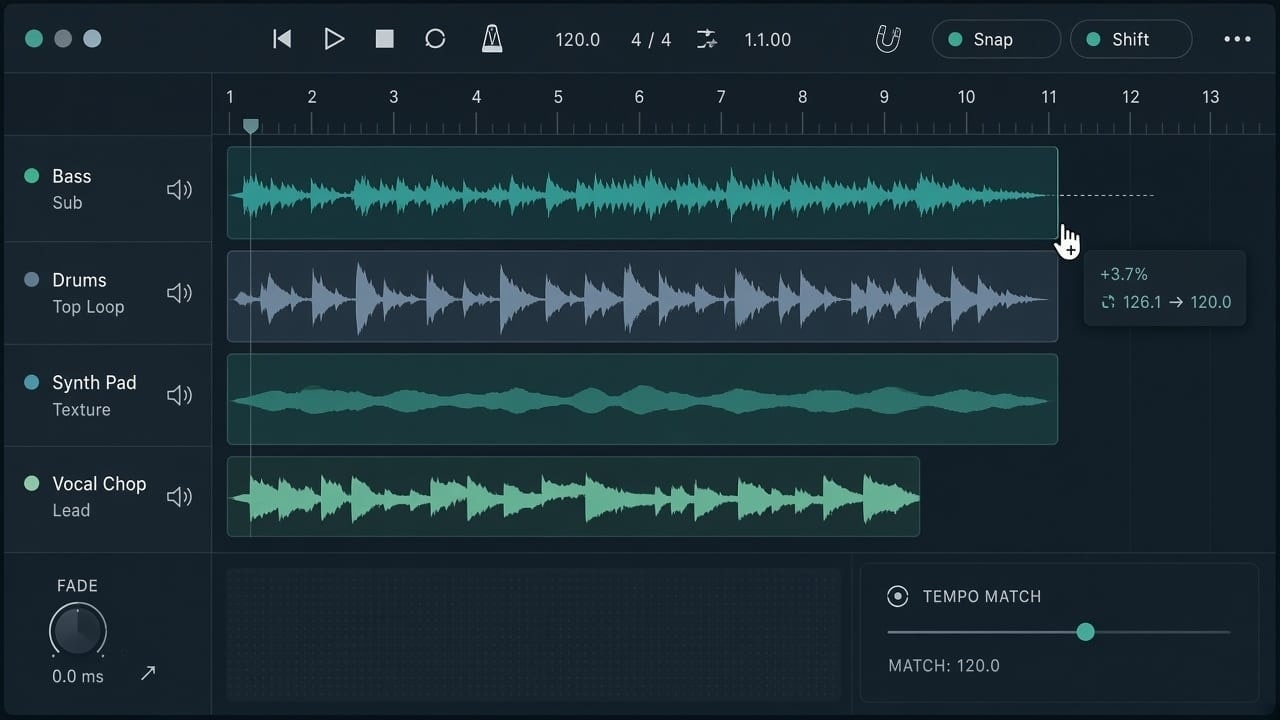
Suno Studio 2.0 is available to Premier subscribers. This is not another “one prompt, full song” loop. It turns the browser into a desk you can hear and twist: edit MIDI on the timeline, use the Chat bar to generate parts or homemade plugins, and draw automation for the first time. For short-video and scene BGM, the harder change is this—high-quality stem export from Studio is officially outside the September 3 download cap.
We just covered how to spend download quota. This page answers the next question: when to push a keeper into Suno Studio instead of burning more generates. It also does not repeat our Suno-versus-traditional-DAW piece. We are not ranking Ableton. We are mapping what 2.0 actually added, and how a BGM workflow should plug in.
Who gets it, and which browser: lock the gate first
Suno Studio 2.0 ships with Premier. Official guidance is Google Chrome; Web MIDI is not available in Safari right now. You need at least 768px of screen width—phones are out. Hardware floor: a CPU with SIMD and 4GB of RAM. From the library, use the three-dot menu → Edit → Open in Studio to drop an existing song into a session.
Studio 1.x stays around for a few weeks (Open in v1 in the project menu). Suno expects to retire it in early September 2026. 1.x projects can open in 2.0 as a new version, but once you add effects, automation, or MIDI tracks, you cannot send that work back to 1.x. Finish in 2.0 rather than camping in the old layout.
Feature lists and shortcuts follow Suno’s own posts and may still shift while Chat stays in beta.
Read the official Studio 2.0 announcementMIDI on the timeline: fix notes, then use them as a prompt
MIDI was the most requested Studio add. In 2.0 you can import, record, and edit pitch and velocity in the piano roll. No controller? Play from the computer keyboard (chord modes and an arpeggiator are built in). A wavetable synth leads the bundled instruments, so a MIDI track makes sound the moment you create it. Cmd-K (or the keys icon) overlays a playable keyboard.
- Drag audio onto a MIDI track to transcribe a take into notes, then swap the instrument
- MIDI clips can prompt Studio to generate an audio cover of those notes
- Compatible hardware talks Web MIDI and can MIDI-Learn automation
- You can upload WAV, MP3, and MIDI files into the session
That is the Studio-native trick a conventional DAW does not copy: notes are not only for a synth—they can become a Suno generation condition. When the hook is right and the arrangement is not, fix MIDI first, then generate. It usually wastes fewer credits than rolling a whole new song.

Chat bar, stock effects, and homemade plugins
The old Cover / Remix stem bar is now the Chat bar (beta). Talk to it like a bandmate: generate instruments or vocals, tidy the session, or describe an effect—“warm tape saturation with a wobble”—and Studio builds a plugin you can drop on a track. Finished devices land in your library and can be revised in conversation (“make the wobble slower”). New plugins do not cost credits at launch; Suno says a credit charge may arrive later.
Factory effects cover Compressor, Convolution, Delay, Distortion, EQ, Gate, and Reverb, and you can draw automation for the first time (level, pan, plugin parameters). Put the hard limit on the checklist: no VST or Audio Units. Plugins are built-in or Chat-made. Do not expect to mount Serum.
Advanced stems, uncapped export, and when you still need Ableton
Stem split is now Advanced Stem Separation: right-click a clip → Split Stems, including Split from Mix and Advanced Split. Outside audio can come in and be taken apart. Export the whole song, a range, or the multitrack as 32-bit WAV or MP3; individual stems can download as WAV. Premier exports of high-quality (32-bit / 48kHz) multitracks and stems from Studio have no download cap—that is the delivery path that still works after the September limits.
- Lock feel, hit points, and vocal balance in Studio 2.0, then export
- If a client demands a VST chain, nested video, or hardware foldback, move to Ableton or Logic—Studio does not sync an external DAW
- If a new generate sits slightly ahead or behind the grid, turn on the metronome (Shift-C) and solo (Shift-S); for Shift stretch and fade curves see Suno Studio timing guide
- Daily shortcuts: Space for play/stop, Shift-R to record, Cmd-L to loop
Transport (metronome, play, loop, time signature, tempo) now sits above the timeline, closer to a classic DAW. Old hands will fumble for a few days. That hierarchy is intentional, not a missing feature.
The shortest path for BGM creators
The generate page is for auditioning three hooks. Suno Studio 2.0 is for turning a hook into stems you can deliver. Do not spend Pro’s 20 monthly downloads on mix experiments. On Premier, keep the session in Studio: fix MIDI, stack effects, draw automation, export 32-bit stems once. When you truly need classic plugins or a picture-locked session, dump WAV into your DAW—don’t reverse it and treat the generate page as a mixer.
Lock the hook on the generate page, then push the session into Suno Studio 2.0 and finish with MIDI and the Chat bar before you export stems.
Generate first, then open Studio
Music Tips
Prompt Engineer · Pop & Genre Prompts
Focused on practical Suno prompts for pop, EDM, and genre-specific tracks with before/after examples.
Related Articles


Ready to start your AI music creation journey?
🚀 Start Creating Now